It only works if people use it.

CRM Implementation That Sticks

Half of CRM implementations fail.

Adoption is built, not begged. CRMs fail when they add clicks without removing work. If the system doesn't make today's job faster, users will get good at routing around it.

Bad data is a symptom, not a disease.

Duplicates, empty fields, and broken reports usually come from unclear process. Define processes first and then automate — in that order.

Whether starting fresh or rescuing a mess, these are the decisions that matter.

Be the Exception.

Who is this for, and what must change in 90 days? +

> Define Outcomes Before Objects.

Identify a few outcomes your team will actually feel in daily work. Most people know what these are off the top of their heads because they're wrestling with them every day.

"One place to work" — reps live in CRM for tasks, notes, and follow-ups.

"No silent deals" — every open deal has a next step and due date.

Simple starting goals — e.g., "Faster quotes" → turnaround drops to ≤1 day from request to send.

If rescuing a messy CRM: use admin tools to remove anything not touched in 30+ days.

Are your processes actually defined? +

> Most Say Yes. That's Almost Never True.

If documentation exists, it's usually out of date. Model the standard flow first (Lead → Deal → Won; Case → Resolution). Make entry and exit criteria explicit and enforce them in the CRM. Do this before configuring anything. Add exceptions later.

One pipeline with 4–5 simple stages: New → Qualified → Proposal → Commit → Won/Lost.

Exit rules per stage — e.g., Proposal requires Amount, Close Date, Decision Maker, and Next Step.

Standardize handoffs with auto-tasks and ownership rules at each stage exit.

If rescuing a messy CRM: merge to one primary pipeline and delete or merge duplicate stages.

Which integrations remove daily swivel-chair work? +

> Automate Work, Not Busywork.

Wire the CRM to the tools your team already uses so emails, meetings, calls, quotes, and tickets land in CRM automatically — no copy and paste.

Email & calendar sync (Microsoft 365 / Google) → auto-log emails and meetings as Activities.

Telephony / PhoneBridge → auto-log calls, require a disposition, auto-create the next step.

Forms → create or update leads with source, assign owner, create a same-day first-touch task.

SalesIQ / website tracking → record meaningful visits and notify owner for named accounts.

Books / Accounting → one system of record for invoices; push status back to CRM.

Zoho Sign / e-sign → update deal stage on signature; attach signed documents.

Who owns the CRM after go-live? +

> Appoint a True Product Owner.

Someone with time and a vested interest in success must run the backlog, guard scope, and have publicly acknowledged authority to say no. Most businesses name a titular owner who quickly gets vetoed by someone with real authority.

Name a Product Owner with allocated hours, decision rights, and success metrics.

For larger orgs: stand up an admin council that meets monthly to triage requests and review adoption.

Publish a change log and intake form with SLAs for requests.

Quarterly cleanup: retire unused fields, views, and automations.

What's your data migration and cleanup plan? +

> Migrate the Minimum Viable Truth.

Import only what you need to run the business today: active accounts and contacts, open deals, and recent history. Deduplicate before import.

Scope data to actives and the last 12–18 months of essential history.

Dedupe with rules (email, phone, domain) and assign a unique ID per record.

Map fields with a translation sheet; prefer picklists over free-text.

If rescuing a messy CRM: create a sandbox instance and start fresh.

How will you drive behavior after launch? +

> Make the Right Thing the Easy Thing.

Adoption follows design and leadership rituals. Give each role a clean layout and a small set of saved views, then run weekly meetings from CRM — not from exports.

3–5 saved views per role — review them in weekly standups.

Micro-training — 10–15 min videos or GIFs, plus regular office hours for questions.

No spreadsheets rule — the owner must enforce it without exceptions.

If rescuing a messy CRM: replace spreadsheets with two dashboards everyone sees — Pipeline Health and Follow-Up Discipline.

You don't need a big-bang rollout.

Start small. Deliver value. Repeat.

The fastest path to adoption is proving the CRM saves time this week. Pilot with one team, ship two automations that remove manual steps, and hold a 30-day retro.

Keep what worked, trim what didn't, then scale to the next process.

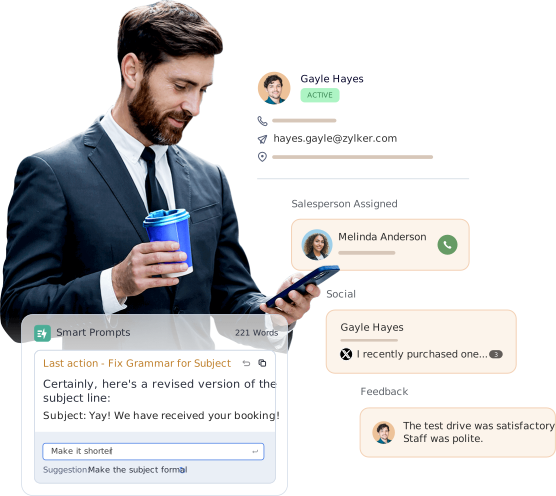
A businessman using CRM to communicate with clients on the go.

Let us build your custom blueprint.

Schedule a Free Consultation

CRM Implementation Do's & Don'ts

Do Don't
Configure CRM to your documented process. Chase efficiency later. Let the CRM define how you work, or try to add extra efficiency at launch.
One pipeline with plain stage names and enforced exit rules. Spin up multiple pipelines, custom objects, and 40 fields "just in case."
Turn on two-way email and calendar sync; auto-create tasks on key stage changes. Let personal inboxes and spreadsheets remain the system of record.
Name a Product Owner; use a request form with an SLA; publish a changelog. Allow ad-hoc changes with no single owner or accountability.
Import the minimum viable truth — actives, open deals, 12–18 months of essentials. Dump a decade of history you won't use into the new system.
Pick a system of record per object and disable duplicate syncs. Let two apps be the master for the same data.
Require key fields at stage exit; keep role-based layouts lean. Make everything required at record creation "to ensure completeness."
Run weekly reviews from the same saved CRM reports — no exports. Export to spreadsheets for "real" meetings.
Track simple usage KPIs — e.g., % deals with a next step, tasks overdue >7 days. Chase vanity metrics before basic follow-up discipline exists.
Efficiency is doing things right; effectiveness is doing the right thing.
— Peter Drucker