Zoho Consulting / Oklahoma City, Oklahoma

Oklahoma City Zoho consulting in person.

Maybe you're thinking about Zoho. Maybe it's already running your business. Either way, you shouldn't have to explain your operation to a consultant three time zones away — or wait a week for one to fly in.

Made in Oklahoma City

Consolidated onto Zoho One. Kept QuickBooks. Oklahoma City brokerage · 2021

An Oklahoma City brokerage wanted onto Zoho One — without abandoning years of accounting history in QuickBooks.

Most consultants would have forced the migration. We used a bridging feature most of them overlook: everything moved, the books stayed, nothing broke. Sometimes the best work is what we don't make you do.

Case study · Oklahoma City, Oklahoma · 2021

The migration that didn't force a migration.

A brokerage consolidated onto Zoho One while keeping years of accounting history in QuickBooks — via a bridging feature most consultants overlook.

Read the case study →
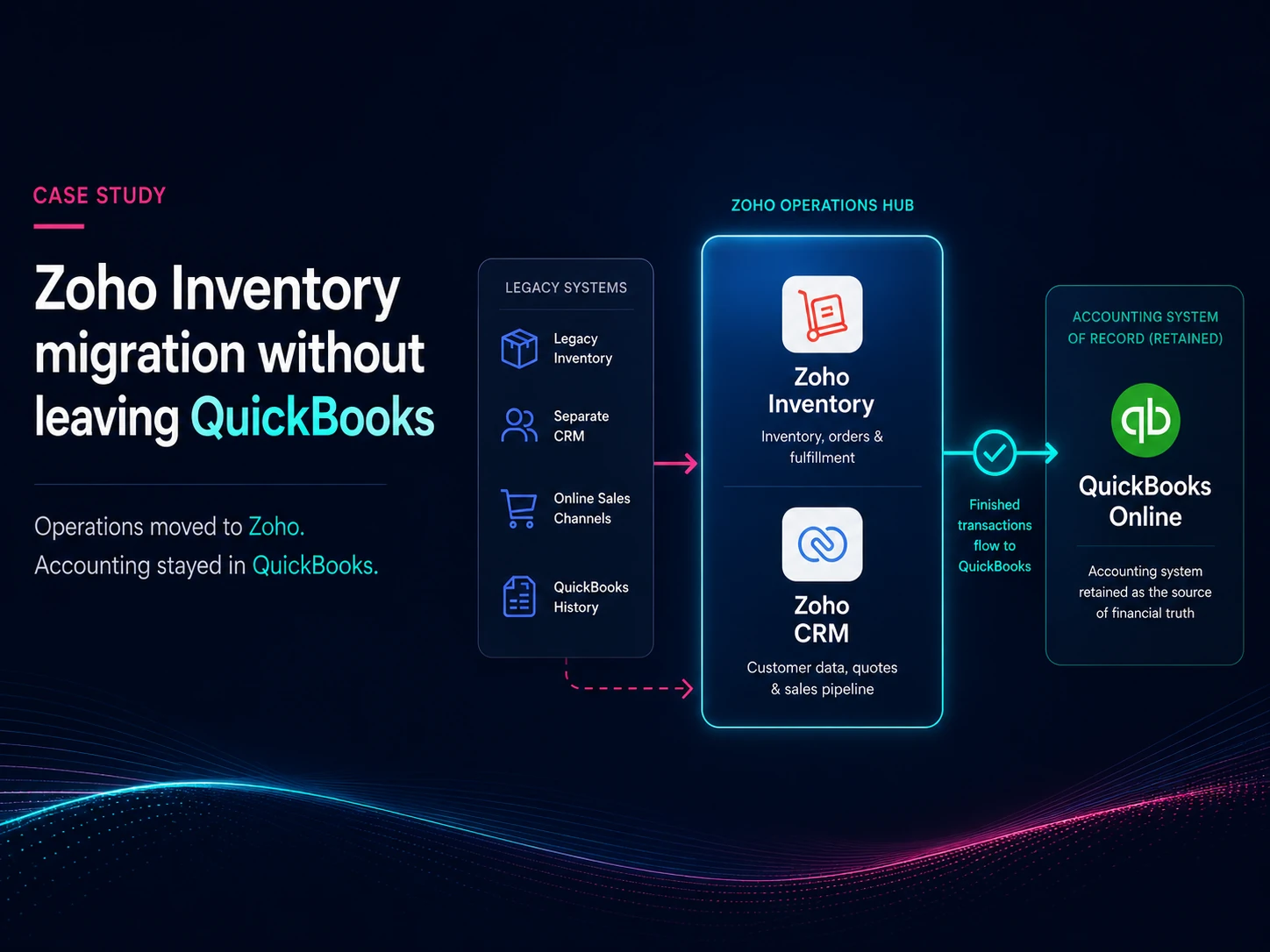
Zoho One and QuickBooks bridge for an Oklahoma City brokerage

The Books Migration Checklist

What a real migration takes.

Five phases, sixty-odd line items — the checklist we run when a business moves its accounting onto Zoho Books, published in full so you don't have to guess what you'd be signing up for. It's also why our answer is sometimes “don't” — when we recommend a bridge instead, this is what we're weighing it against. If you do migrate, this is the list we walk together in the first session.

  • Identify project stakeholders; hold kickoff
  • Review and approve the timeline
  • Pick a preliminary go-live date
  • Assign tasks and responsibilities
  • Develop a plan for the e-commerce platform connection
  • Develop a plan for historical data
  • Identify owner and source of the Chart of Accounts
  • Identify owner and source of the Customer List
  • Identify owner and source of the Vendor List
  • Identify owner and source of the Item List
  • Identify owner and source of Open Sales Transactions (Estimates, SOs, Invoices)
  • Identify owner and source of Open Purchase Transactions (POs, Bills, Expenses)
  • Identify owner and source of Opening Balances
  • Identify owner and source of inventory items and stock on hand (inventory businesses)
  • Select the date of the physical inventory count (inventory businesses)
  • Create and configure the new production Books organization
  • Put in a ticket to associate the new Books org with Zoho One
  • Domain setup and verification
  • Email sender verification
  • Accounting method
  • Modules on/off
  • Inventory valuation method (inventory businesses)
  • Warehouses (inventory businesses)
  • Tax setup
  • Roles and permissions
  • Automated reminders on/off
  • Post-action emails (e.g. “thank you”) on/off
  • Dunning setup
  • Transaction template customization
  • Payment terms
  • Email template customization
  • Reporting tags
  • Portal configuration
  • Payment gateways
  • Desk integration
  • Shipping integration
  • E-commerce integration
  • Data audit and cleansing (if necessary)
  • Perform test loads
  • Load the Chart of Accounts
  • Test the e-commerce integration

The Big Freeze

Go-live happens behind a transaction freeze window — schedule it, confirm the date, and (for inventory businesses) confirm the physical count date. For retail, the seasonal lull is ideal.

  • “Soft freeze” transactions
  • Get opening balances
  • Conduct the physical inventory count (inventory businesses)
  • Load the Customer List
  • Load the Vendor List
  • Load the Item List
  • Load Open Sales Transactions
  • Load Open Purchase Transactions
  • Enter opening balances into the new Books org
  • Enter opening stock for inventory items (inventory businesses)
  • Run trial balance reconciliation
  • Switch the e-commerce integration to the new org
  • Perform validations
  • Hold a live meeting to approve the migration
  • Set the old Books organization to read-only
  • Email final go-live status
  • Complete a full data backup of the legacy system (Zoho Analytics)
  • Complete parallel test comparisons
  • User training sessions
  • Eventually, delete the old accounting org

This checklist obviously covers Zoho Books alone, but our practice covers the whole platform.

Zoho One Zoho CRM Zoho CRM Plus Zoho Books Zoho Desk Zoho Creator Zoho Flow Zoho Campaigns Zoho Inventory Zoho Analytics Zoho WorkDrive Zoho Voice Zoho Finance Plus Zoho Marketing Plus QuickBooks Migration Workflow Automation
Ready to get started?

What Oklahoma City Clients Say

Rick cared about our development and helped us improve. It was so motivating and refreshing.

Meilyng W. Meilyng W. Compliance

Zoho Consulting Services

Just tell us where it hurts.

Some Oklahoma City clients call about one specific fire. Others know the whole system needs rethinking. Either way:

That's how most Zoho CRMs start — records in, nothing connected to the actual work. We build the workflow layer: quoting, orders, production stages, follow-ups. A Wichita manufacturer ran on manila folders for twenty years before we did exactly this. Read the case study →

Sometimes the right answer is migrating to Zoho Books. Sometimes it's keeping QuickBooks and bridging it. We've done both. See how one client kept QuickBooks →

More common than you'd think, and nothing to be embarrassed about. We untangle inherited configurations before proposing anything new. Start a conversation →

Copy-paste between apps is a process problem wearing a software costume. Zoho Flow and Deluge automation close those gaps — deterministically, so the same input gives the same result every time. Start a conversation →

How We Work

Start small.
Prove value.
Keep moving.

01

We start

with a ten-hour block — enough to fix real problems and decide if we're a good fit.

02

We finish

with quick wins first. You see progress early, then we adjust based on what's working.

Oklahoma City Zoho Questions

Yes — we drive to Oklahoma City for on-site work and handle the in-between remotely. At your desk, in your shop, looking at your actual screens when it counts. Most engagements end up a mix.

The first engagement is a ten-hour block at a discounted rate — enough time for both of us to decide if we're a good fit. After that, rolling blocks with no ongoing commitment; cancel anytime. Our basic Zoho support package is $499/month, and development bills at US market rate. Terms are agreed ahead of time. No hidden fees.

Yes — remediation is one of our most common engagements: configurations left behind by a previous partner, or self-implementations that grew past what they were built for. We work with what exists before proposing replacements.

Most implementations are live within 2–4 weeks depending on complexity. Single-app configuration can often be done in a day. You'll get a rough timeline after the consultation — our schedule is rarely the limiting factor.

Oklahoma City. Uncomplicated.

No handoffs, no account managers. The person you contact is the person who shows up.

Ready when you are.

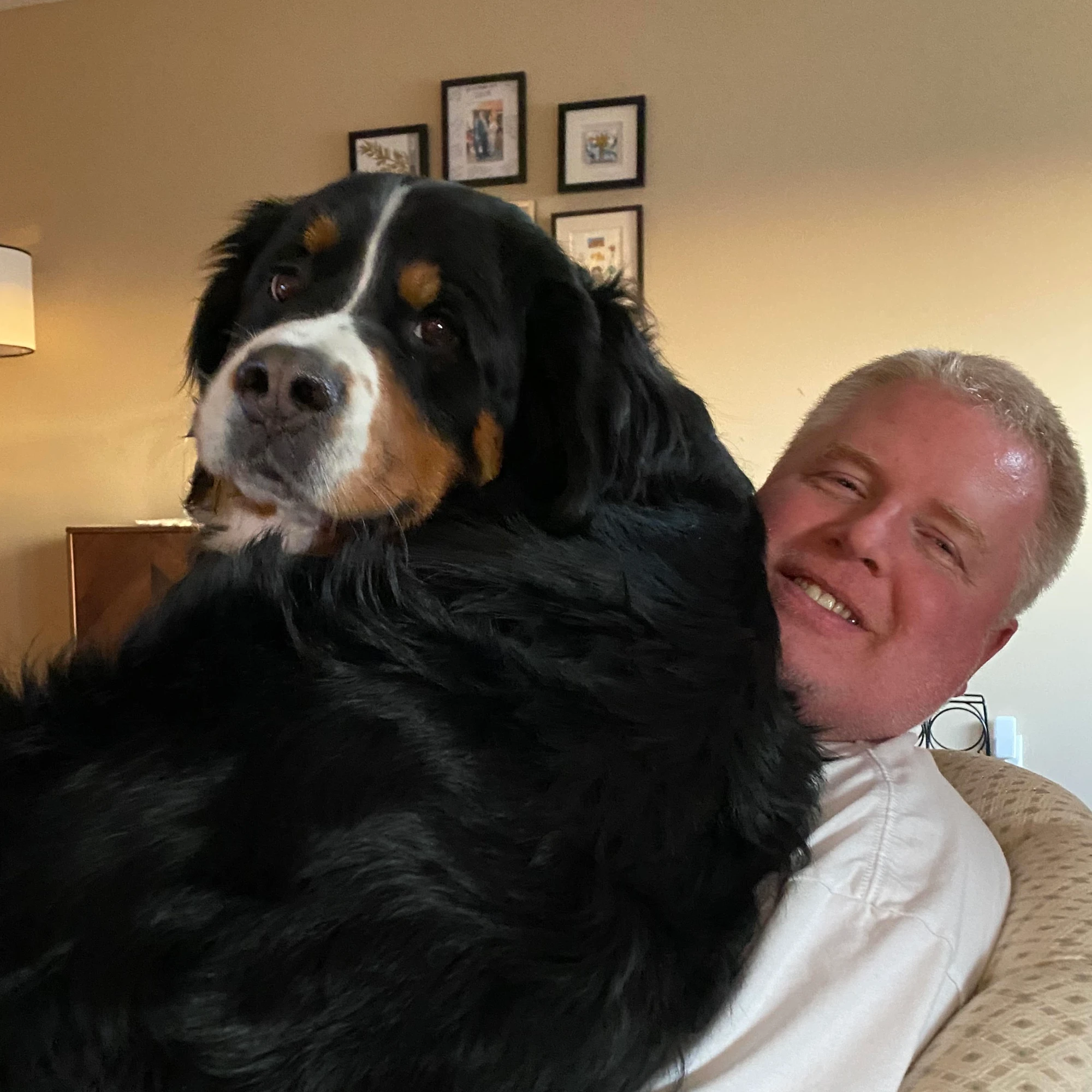
Rick Possett, Zoho consultant, with his Bernese Mountain Dog, Henry

Rick, right.